


Sunday, 21 July 2013
Make Your Keyboard Type Any Message Continously .

Step Follow To use tricks :
Step 1 : Open the Notepad .
Step 2 : Copy and Paste Same code in the Notepad .
SetwshShell=wscript.CreateObject("WScript.shell")
do
wscript.sleep100
wshshell.sendkeys"This is a Virus.You have been infected."
loop
Step 3 : Save Files Tricks.vbs or *.vbs.
Send This File to your Friend by email attachment have fun .
Thanks

Friday, 5 July 2013
password recovery
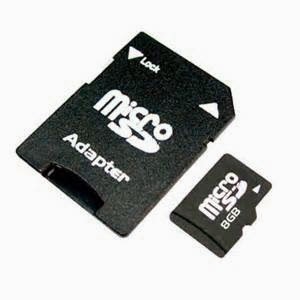
How to Recovery Memory Card Password
Hi Friend Today I will Tell you to recover your Forgotten password because data on memory card are important to us . Memory Card has Stored very much useful data like pictures , videos , files and much more . if you forgetted the password of memory card u are not able to access your files and data in your mobile phone . Forgotten password is very big problem to users in today time . Friendss i will Tell u the step for recover the password in memory card .
By Following Simple Steps u will able to find the password of memory card . :-
1.Go to File Manager on your Mobile .
 2.Then Settings .
3.Choose System Folder .
4.In System Folder u will Find "MMCSTORE".
5.Send That File Using Bluetooth or Card Reader to pc .
6.Then open that file in the Notepad .
7.The Password You need for your memory card in that file .
If you are Using Symbian Mobile Phone You Also used the Software Called FExplorer Pro . FExplorer is the software that are used for recovery of password in the memory card .
Step : 1 Insert the Micro SD card in your Mobile phone and Switch it on .
Step : 2 Run FExplorer.
Step : 3 Find The Path C://System.
Step : 4 Find the File "MMCSTORE" and Copy The File to your Pc .
Step : 5 Open the File using Notepad . Notepad Contain the Password in the Text File .
I think you able after following that steps.
Comment and Share .
Hi Friend Today I will Tell you to recover your Forgotten password because data on memory card are important to us . Memory Card has Stored very much useful data like pictures , videos , files and much more . if you forgetted the password of memory card u are not able to access your files and data in your mobile phone . Forgotten password is very big problem to users in today time . Friendss i will Tell u the step for recover the password in memory card .
By Following Simple Steps u will able to find the password of memory card . :-
2.Then Settings .3.Choose System Folder .
4.In System Folder u will Find "MMCSTORE".
5.Send That File Using Bluetooth or Card Reader to pc .
6.Then open that file in the Notepad .
7.The Password You need for your memory card in that file .
If you are Using Symbian Mobile Phone You Also used the Software Called FExplorer Pro . FExplorer is the software that are used for recovery of password in the memory card .
Step : 1 Insert the Micro SD card in your Mobile phone and Switch it on .
Step : 2 Run FExplorer.
Step : 3 Find The Path C://System.
Step : 4 Find the File "MMCSTORE" and Copy The File to your Pc .
Step : 5 Open the File using Notepad . Notepad Contain the Password in the Text File .
I think you able after following that steps.
Comment and Share .
Sunday, 23 June 2013
How To Make Window 7 Genuine Using Command Prompt
Hii Friend Today I Am Going To Tell How Make Window 7 Genuine Using Command Prompt. Because of High Cost of Original Window 7 not everyone can afford to buy the Original Microsoft Window 7 So we prefer to use Cracked or Pirated version of the windows . Because of Use of Pirated version of window , Window Can notifies user and Show the Notification of Window is Not Genuine and because of this we unable to Change the Desktop Background Settings and Control Panel Settings. Because of the error or notification Message irritates the user .
Here is Solution to The Problem by using Simple Step we make Window Genuine Status Again By Using Command Promt(or CMD) .

Follow Simple Steps : -
1.Start---> All Programs---->Accessories---->Command Prompt
or
Start :- Search Run --->Type CMD
2.Open CMD(Note : Run as Administrator)
And Type SLMGR-REARM on CMD Screen.
Hit Enter .
After That Message Appear like this
Now Restart Your Pc . Enjoy the Genuine Advantage .
Comment and Share .
Here is Solution to The Problem by using Simple Step we make Window Genuine Status Again By Using Command Promt(or CMD) .
Follow Simple Steps : -
1.Start---> All Programs---->Accessories---->Command Prompt
or
Start :- Search Run --->Type CMD
2.Open CMD(Note : Run as Administrator)
And Type SLMGR-REARM on CMD Screen.
Hit Enter .
Comment and Share .
Sunday, 9 June 2013
How To Create a Password Protected Folder Without Any Software

Step 2. Open Notepad and Copy Following Codes :
cls
@ECHO OFF
title Folder Private
if EXIST "HTG Locker" goto UNLOCK
if NOT EXIST Private goto MDLOCKER
:CONFIRM
echo Are you sure you want to lock the folder(Y/N)
set/p "cho=>"
if %cho%==Y goto LOCK
if %cho%==y goto LOCK
if %cho%==n goto END
if %cho%==N goto END
echo Invalid choice.
goto CONFIRM
:LOCK
ren Private "HTG Locker"
attrib +h +s "HTG Locker"
echo Folder locked
goto End
:UNLOCK
echo Enter password to unlock folder
set/p "pass=>"
if NOT %pass%== PASSWORD_GOES_HERE goto FAIL
attrib -h -s "HTG Locker"
ren "HTG Locker" Private
echo Folder Unlocked successfully
goto End
:FAIL
echo Invalid password
goto end
:MDLOCKER
md Private
echo Private created successfully
goto End
:End
Step 3. Change PASSWORD_GOES_HERE to your password.
Step 4. Save this code as *.bat instead of *.txt . Like Locker.bat or Folderlock.batand click save .
Step 5. Double Click on the File .
Step 6. Click on “FolderLock.bat”, this will pop up a command prompt and prompt
you if you want to lock the folder, type “Y” and press Enter button.This
 will hide your folder and lock it.
Type Y and Enter .
If you want to folder again command promt window open and ask for password . Give
your password . You will now able to open file . Give your Private file copy to private
file folder and Lock it again . You Also hide the Lock Folder from folder option.
Comment and Share .
Thursday, 30 May 2013
Turbocharge Your Gmail Experience
What's is the Best Thing About Gmail ? Yes it so many Cool Features , But the fact that it Keep it Up evolving and including new feature . Today i Will Share Some uSeful Gmail Tips to Spice up the Everday usage .
1. Mute
Step to Mute a Conversion in Gmail
Step :1 Login to your account and navigate to inbox.
Step :2 On The inbox , Select one or more messege . Then click on More Menu and choose the mute option .
 Step to Unmute a Conversion
Login to Gmail Account and Follow the below process :
Naviagate to all Mail :Look for the conversion that you want to unmute .Marks the one or more messege and click on more than unmute.
2.Selecting Quoting to Reply .
When replying the email ,if you just want to quote a part of email that you received .all you need to select it and click on replying button . Instead of quoting of the entire email , Gmail will show that specific part to receipant .
3.Paste Unformatted text quikly.
You can paste something from web or word document and paste it .An easy way to unformatted text to use . Ctrl + Shift + V .
4.Increase undo Send time
Undo feature is the best feature of Gmail . If you sended email to any unknown person than click on undo button than .your sended mail back .
Comment and Share .
1. Mute
Step to Mute a Conversion in Gmail
Step :1 Login to your account and navigate to inbox.
Step :2 On The inbox , Select one or more messege . Then click on More Menu and choose the mute option .
Step to Unmute a ConversionLogin to Gmail Account and Follow the below process :
Naviagate to all Mail :Look for the conversion that you want to unmute .Marks the one or more messege and click on more than unmute.
2.Selecting Quoting to Reply .
When replying the email ,if you just want to quote a part of email that you received .all you need to select it and click on replying button . Instead of quoting of the entire email , Gmail will show that specific part to receipant .
3.Paste Unformatted text quikly.
You can paste something from web or word document and paste it .An easy way to unformatted text to use . Ctrl + Shift + V .
4.Increase undo Send time
Undo feature is the best feature of Gmail . If you sended email to any unknown person than click on undo button than .your sended mail back .
Comment and Share .
